

Workflow Tools Enhancements
This month, we introduced enhancements focused on improved notification control, candidate assessment history, expanded workflow fields, and global candidate visibility.🆕 Features
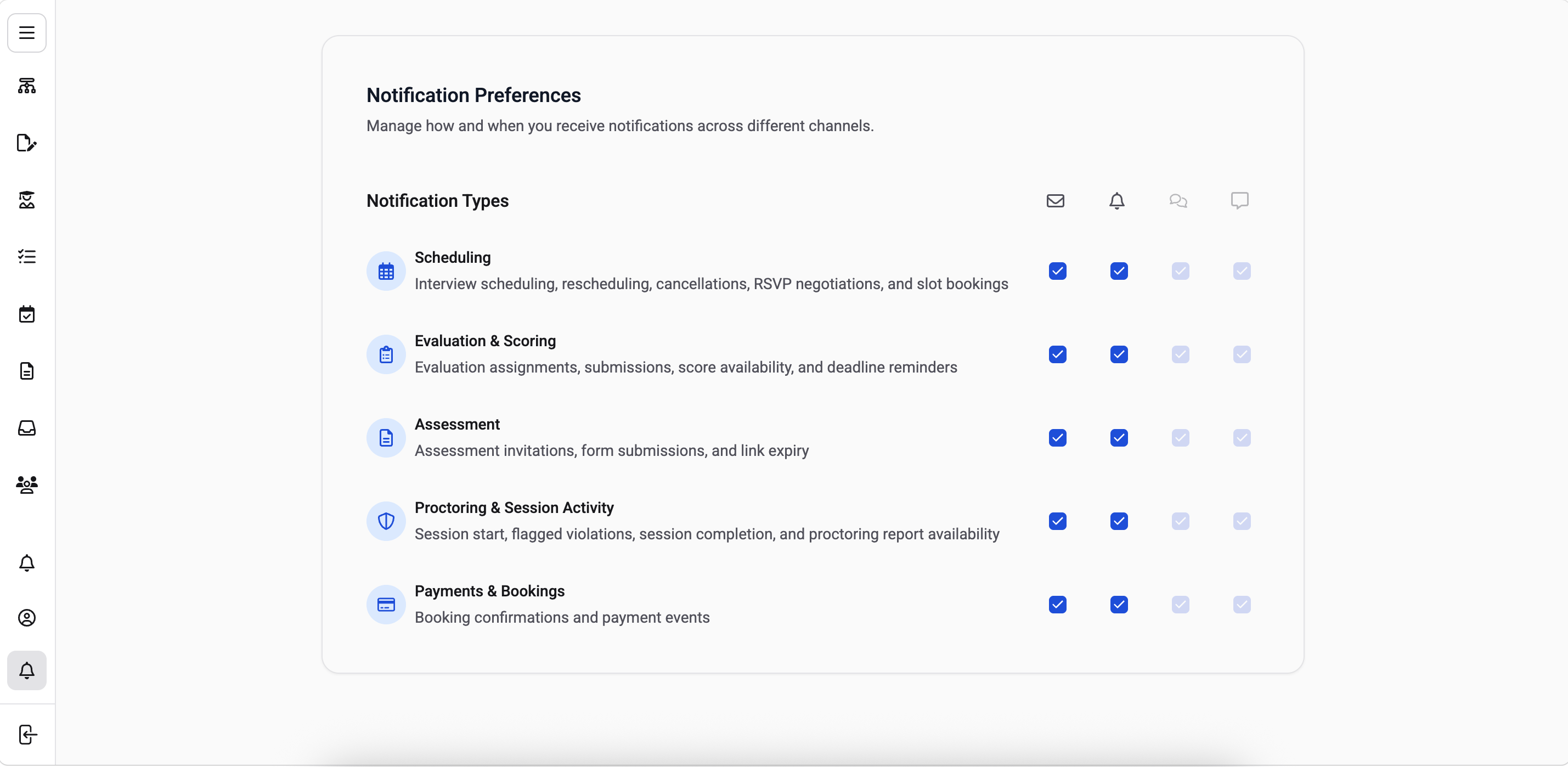
1️⃣ Notification Preferences Description: Users can now control which notifications they receive and on which channel from a dedicated Notifications Preferences page under Settings. What’s New- Notification categories listed with a short description of what each one covers.
- Per-category channel selection, check or uncheck each channel individually.
- Email and In-App available for all users; SMS available to users with a phone number on their profile.
- Preferences enforced on the backend send path, so an unselected channel is skipped at delivery. Preference changes save immediately with no separate save action.
- Activity History entry in the Assessment side panel kebab menu.
- Previous attempts list with one card per attempt.
- Attempt detail view showing overview and score, with back navigation. Preview of previous assessment responses.
- New workflow fields across Job Classification, Skills, Location, Hiring Timeline, and Project and Contract flags.
- Column picker on the candidate list, with selections saved per user and applied across workflows. Search extended to cover the additional candidate fields.
- Education and Resume Fitment status columns added to the candidate table.
- Work experience sourced from the structured candidate record, covering designation, organization, start and end dates, and current-role flag.
- Experience data now visible to Hiring Managers, Collaborators, Evaluators, and External Evaluators.
🐞 Bug Fixes
Workflow Tools: Candidate Lists, Evaluation & Workflow Setup- Restored global search, advanced filters, quick actions, and bulk actions across Workflow Tools.
- Fixed Resume Fitment defects, assessment scoring errors, and evaluation flow issues.
- Fixed workflow setup problems, public registration form rendering, and broken empty states.
- Fixed interview invitation, assessment reminder, and technical assessment emails not triggering.
- Fixed incorrect scheduling links and interview dates sent to candidates.
- Fixed Ivy call transcription unavailability and Potential Fit candidates incorrectly assigned Turn Down status.
- Improved resume parsing performance.
Proctoring Updates
This month, we introduced enhancements focused on expanded coordinator tools and a new native Moodle integration.Proview Console (V8)
🆕 Features
1️⃣ Exam to Center and Schedule Mapping Description: One or more centers can now be tagged to an assessment step in an exam, with coordinators able to define schedules and capacity per schedule. What’s New Virtual or physical centers can be tagged to an assessment step. Coordinators can define schedules and capacity per schedule under the respective assessment tab. Enables slot management and center assignment for bookings.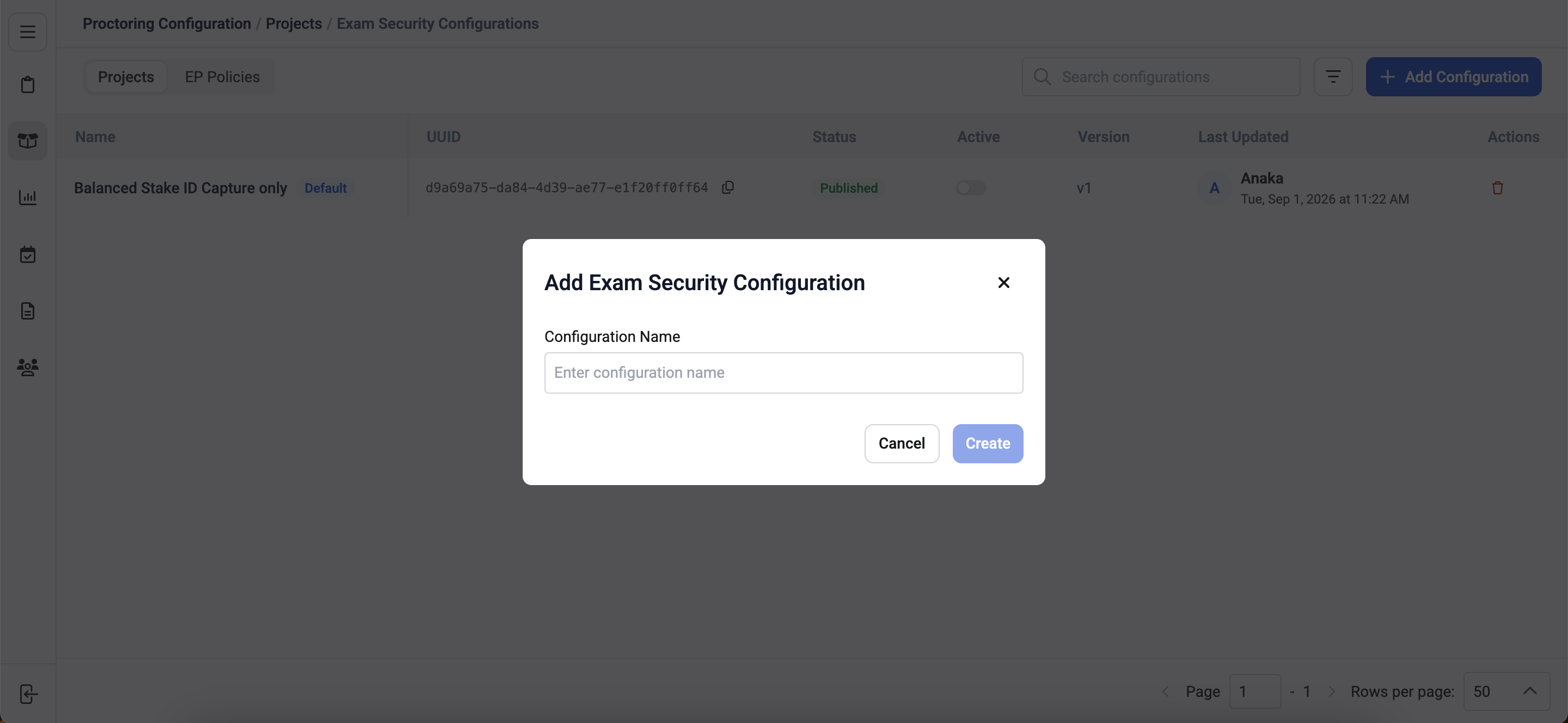
Integrations (V8)
🆕 Feature
V8 Native Moodle Plugin Integration Description: The new integration is delivered as a native Moodle quiz plugin, introducing a fully redesigned experience for instructors, candidates, and reviewers. What’s New- Flow-based proctoring configuration for instructors directly from the quiz settings page.
- Automatic proctoring window set from quiz open and close dates.
- Proctoring session ends automatically on candidate quiz submission.
- One-click recording playback via a View recordings button on the quiz page.
🐞 Bug Fixes
- Base reference image not displaying in the checks pane.
- Photo ID check displaying when ID verification was disabled for the exam.
- Hyperlink and numbered-list formatting not preserved when sending a message to a candidate.
- Alvy’s automated responses not appearing in the proctor’s individual chat view.
- Messages sent through individual chat not being received by the candidate.
Interview Rooms Enhancements
This month, we introduced enhancements focused on improved transcription accuracy.⚙️ Enhancements
1️⃣ Soniox Transcription Accuracy Resolved language identification hallucinations in Soniox via English language hints and strict LID mode. Rate-limit and concurrency constraints have also been addressed.🐞 Bug Fixes
- Fixed an intermittent transcription failure.
Assessment Engine & Candidate Experience Updates
This month, we focused on improved candidate experience controls and assessment authoring.🆕 Features
1️⃣ Exit Confirmation for Test Sessions Description: Candidates now get a browser warning before accidentally leaving an active test. What’s New Native browser confirmation prompt appears if a candidate tries to close or refresh the tab during an active test. Applies only while a test is in progress, not on instruction, hardware-check, or post-submission pages.⚙️ Enhancements
1️⃣ Skill ID Now Visible in Skill List The skill list now displays each skill’s ID, making it faster to find and reference the right skill.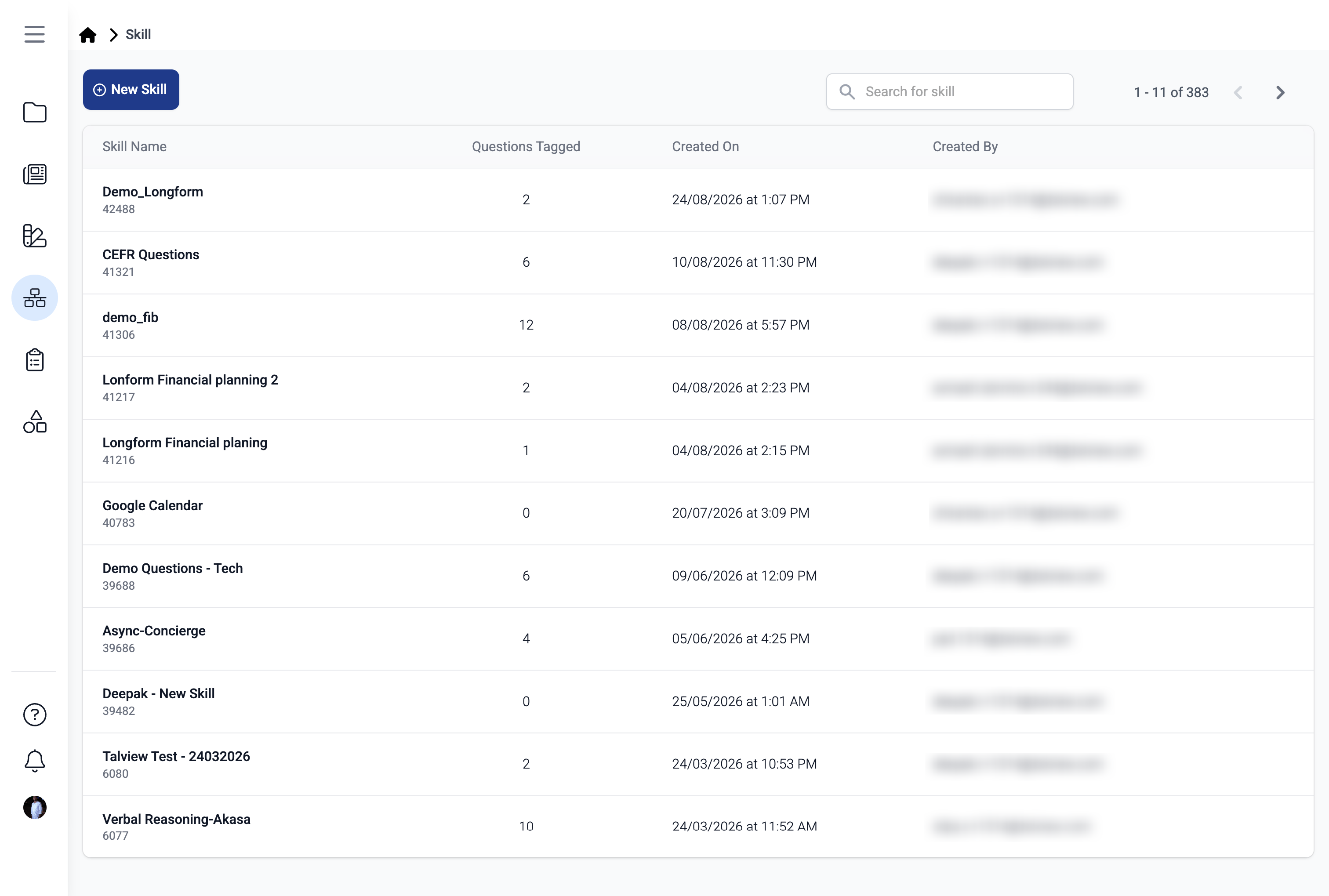
🐞 Bug Fixes
Fixed an issue where only multiple-choice questions could be added to an assessment from a skill, even when other published question types were available.Admin (Forms) Updates
This month, we focused on improving form reliability.🐞 Bug Fixes
- Incorrect form status color in the Form List view.
- Hidden field rendered without meeting its conditional logic.
- Unable to enter details in Preview Mode.
- Unable to upload a PDF file in the File Upload field, blocking form submission.
- Long text input overflowing outside the form instead of wrapping correctly.
- Download failing after form submission with a “File data not found” error.
- Phone number text not visible due to low contrast in the Phone Number field.
Platform Webhook Service
This month, we added signature verification for outbound webhook deliveries.⚙️ Enhancements
1️⃣ HMAC Signing for Webhook Deliveries Every outbound webhook delivery is now signed with HMAC-SHA256, using a secret unique to each subscription target. Receivers can verify the signature to confirm a delivery genuinely came from Talview.- Deliveries carry new
X-Hook-TimestampandX-Hook-Signatureheaders alongside the existing payload. - Each target’s secret is returned in the
hook_subscriberesponse, so no separate setup step is required. - Purely additive — existing subscribers that don’t check the signature continue to receive deliveries unaffected.